Why this is required?
An AI agent that only writes text can only say things. An agent with tools can act: look up an order, book a slot, update a CRM record or send an email. The Model Context Protocol (MCP) is an open standard for connecting an LLM application to external tools, data and prompts, so one MCP server can serve any compatible host without a custom integration each time. Pluralsight lists MCP servers among its top tech trends for 2026.
Standardising the connection is the useful part, and it carries the risk with it. The 28 July 2026 MCP specification says the protocol enables arbitrary data access and code execution paths, and that tools represent arbitrary code execution and must be treated with appropriate caution.
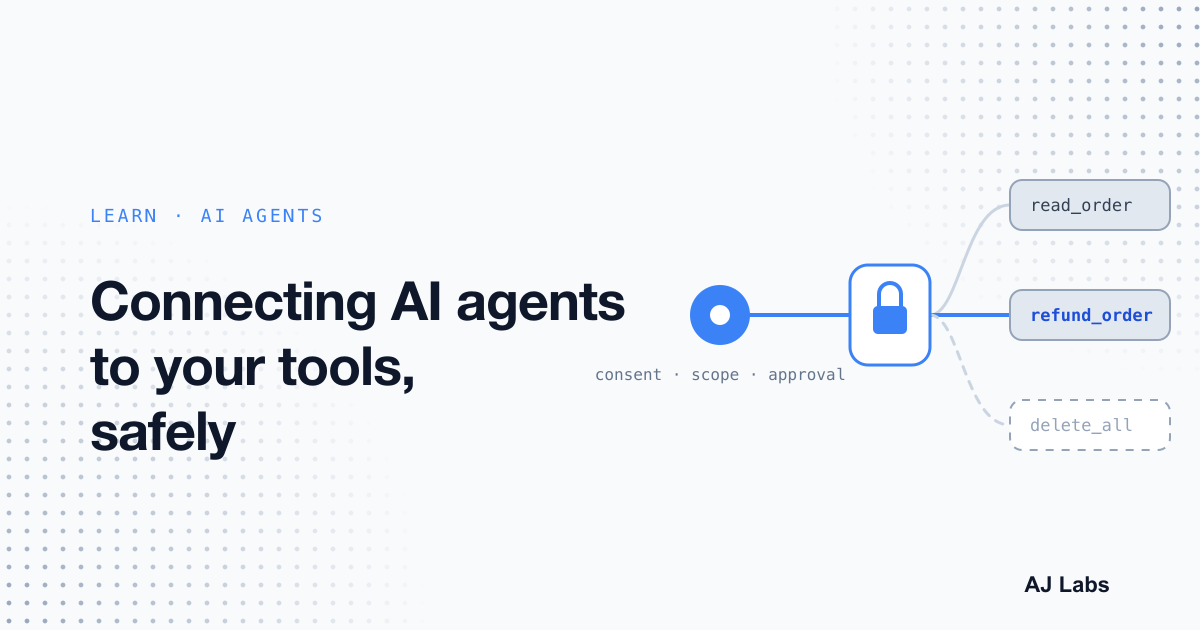
- Consent: the host must get explicit user consent before it invokes any tool, and users should understand what each tool does.
- Descriptions: tool descriptions and annotations are untrusted unless they come from a trusted server.
- Results: what a tool returns goes back into the model's context, where injected text can look like an instruction.
The specification states that MCP cannot enforce these principles at the protocol level. The builder has to: consent flows, access controls and clear documentation are the implementor's job.
Diagram source (Mermaid)
flowchart LR
  A[Agent asks for a tool] --> B[Host asks the user for consent]
  B -->|approved| C[Server checks token and scope]
  B -->|declined| X[Call stops]
  C -->|scope missing| X
  C -->|scope present| D[Sensitive action waits for approval]
  D --> E[Result returned as data, not instructions]
How you can achieve this?
Put the rules in code that runs on the server, not in the system prompt. A prompt can ask a model to refuse a request, but injected text can override a prompt. Access control at the tool layer cannot be talked out of its rules.
- Scope each tool narrowly. One tool per task, with the smallest permission it needs. A read-only lookup should never share permissions with a delete action.
- Avoid one session that combines private data, untrusted content and a way to send data out. Security writers call that combination the lethal trifecta.
- Pause sensitive actions for a person. Refunds, deletions, outbound messages and anything that spends money should wait for confirmation.
- Check every request for remote servers: the token is valid, it was issued for this server, and it carries the scopes the operation needs.
const REQUIRED_SCOPE: Record<string, string> = {
  lookup_order: "orders:read",
  refund_order: "orders:refund",
};

const NEEDS_APPROVAL = new Set(["refund_order"]);

export function authorise(tool: string, scopes: string[]) {
  const scope = REQUIRED_SCOPE[tool];
  if (!scope) return { allowed: false, reason: "unknown tool" } as const;
  if (!scopes.includes(scope)) return { allowed: false, reason: "missing scope" } as const;
  return { allowed: true, needsApproval: NEEDS_APPROVAL.has(tool) } as const;
}
The code is a sketch, not a complete authorisation layer. The decision still happens on the server, every time, whatever the model was asked to do.
Diagram source (Mermaid)
flowchart TD
  A[Tool call arrives] --> B{Tool known?}
  B -->|no| X[Reject]
  B -->|yes| C{Scope granted?}
  C -->|no| X
  C -->|yes| D{Needs approval?}
  D -->|yes| E[Pause for a person]
  D -->|no| F[Run tool]
  E -->|approved| F
  E -->|rejected| X
Treat returned content as data. Label it, keep it separate from your own instructions, and never paste it into the prompt as if it were a command. Keep secrets out of tool descriptions and error messages, because descriptions travel into every context window.
Review tool descriptions when they change, not only when a connection starts. The OWASP tool poisoning note describes attacks where the harm arrives through tool responses at runtime, after the description was reviewed.
With/Without this concept?
Agents with tools are only as safe as the controls around each tool. The table compares the same agent with and without them.
| Situation | Without controls | With controls |
|---|---|---|
| A note contains hidden instructions | The model may call a delete tool | Destructive tools need a scope and a human approval |
| A chat message asks for a refund | The agent refunds directly | The refund pauses for staff confirmation |
| A tool description changes | The change goes unnoticed | Descriptions are re-reviewed when they change |
| A secret appears in an error | The secret enters every context window | Errors return codes; secrets stay on the server |
| An incident needs investigating | No record of who approved what | Each call is logged with user, scope and approval |
Diagram source (Mermaid)
flowchart LR
  A[List every tool] --> B[Mark reads, writes and sends]
  B --> C[Split tools that mix private data with outside input]
  C --> D[Add scopes and approvals]
  D --> E[Log each call with user and scope]
Approval steps slow down simple tasks, and narrow scopes mean more tools to manage. Begin with the actions that move money, change records or send messages. Read-only lookups can stay lighter once the sensitive paths are guarded.
A practical first step: list the tools your agent can call, mark each as a read, a write or a send, and remove any combination that a single session would use to read private data, take in outside content and send something out.